For cloud kitchens
Your own orders, no commission
Customers order from your page and pay you directly.
Short answer
How can a cloud kitchen take direct orders?
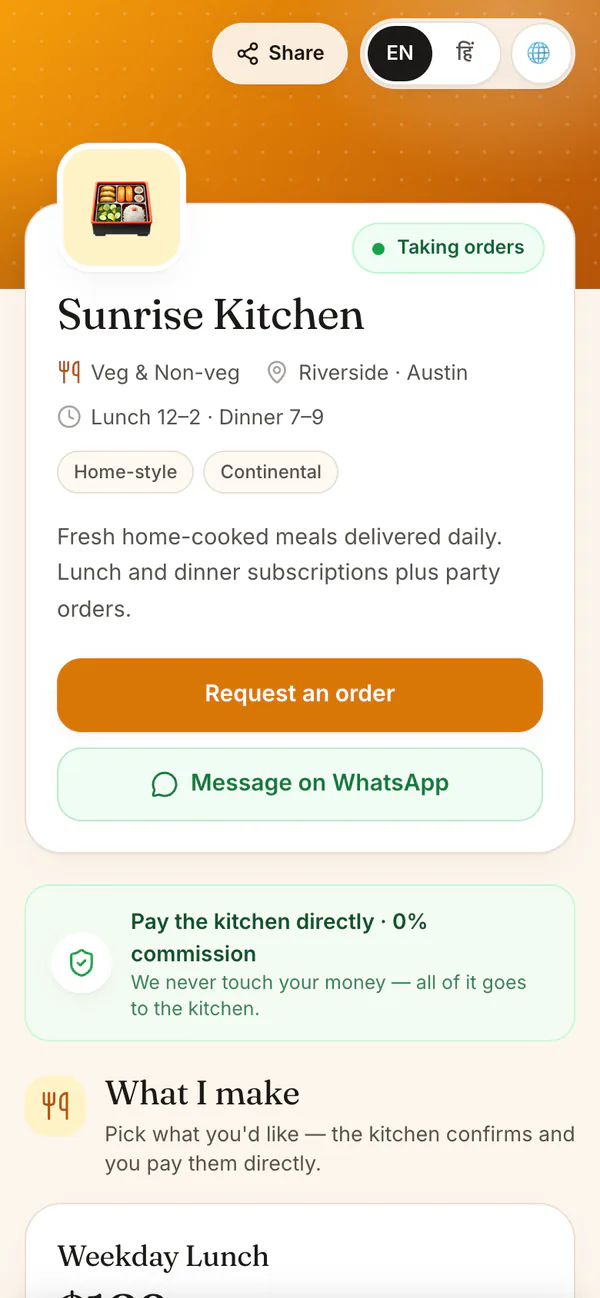
Share your own HomeTiffin page instead of paying a cut on every order. Customers pick today or tomorrow, choose how many and send the order to your WhatsApp. You set how many you can make and a cut-off time, and pay 0% commission on everything.
A day with HomeTiffin
How orders come in
Set today's count
Say how many meals you can make today and tomorrow, and the price.
Share your page
Post it on WhatsApp, Instagram or as a QR code at your counter.
Confirm and cook
Orders arrive in your app and on WhatsApp. Confirm each one, or let them confirm by themselves.
Hand over, get paid
Mark it delivered or picked up, then Got paid when the money reaches you.
Cloud kitchens
Common questions
Do my customers need an account to order?
No. They open your page in any phone browser, choose what they want and add their name, phone, and an address or pickup. There is nothing to install and no account to make.
How do I deal with fake or unwanted orders?
If you confirm each order yourself, a pile of unwanted orders waiting for your OK can be declined in one go with Decline all waiting. What they held goes back on sale. If one was real, tell that customer on WhatsApp.
Can I charge for delivery?
Yes. For shop orders you set a flat delivery fee in How orders come in. It is added to every delivery order and shown to the customer before they order. Customers who pick up pay no fee.
Start your kitchen today
Free to start. No card. Set up in minutes.
More for Cloud kitchens
Direct orders for a cloud kitchen
A cloud kitchen lives on repeat customers. Give them one link they can save, and they order straight from you: pick a day, choose how many, add a note, and send it to your WhatsApp. Each order gets a number and a tracking page.
You set how many meals you can make each day and a last time for same-day orders. See today and tomorrow orders and your kitchen page.
Keeping the money you earn
HomeTiffin takes 0% commission and never handles payments: customers pay you directly. Plans are priced by how many monthly customers you have, and one-off orders are never limited. See pricing and how to price your tiffin.
Your menu link and your page work together
Regular customers answer for their days on the daily menu link, and anyone new can open your page to see everything you offer. Both belong to the same kitchen, so an order from either lands in one list and is counted in that day's number.