Made to order
Cake orders without the mix-ups
Notice, minimum and date, set before anyone orders.
Short answer
How do I take cake orders from home?
Add what you make to your showroom with a photo, a starting price, the notice you need and the smallest order. Customers pick a date and send a request. HomeTiffin lets you confirm the final price, ask for an advance and close days you are away.
What you get
- Notice and minimumNo rush orders you cannot make.
- Advance and balanceSee asked, received and still due.
- Days I'm closedAway? Those dates cannot be booked.
How it works
From request to handover
Add an item
Photo, name and price. Tick that the price is a from price when size or design changes it.
Set notice and minimum
Pick same day up to 7 days' notice, and a minimum such as 6 or 12.
Confirm with the price
Type the final price, and an advance if you want one. Tell them on WhatsApp in one tap.
Packed, handed over, paid
Mark the advance received, tell them it is ready, then hand it over and record the balance.
Made to order
Common questions
Can I limit how many cakes I take in a day?
Yes. Set Most per day on an item, for example 2. When a day is full it is crossed out on your page, so nobody can book a third cake for that Saturday. Leave it empty for no limit.
How do I take a party order for many people?
Customers can use Something else? to describe a party for 40 or a special cake, with an optional date and number of people. It arrives as a request that you price in the same way, with an advance if you want one.
What happens to orders on a day I close?
Orders you already have for that day are not cancelled or moved. HomeTiffin tells you how many there are and marks each one, so you can message the customer. New customers simply cannot pick that day.
Is the advance paid through the app?
No. The app takes no payment. You ask for the advance in a ready WhatsApp message, the customer pays you directly, and you tap Advance received. The order then shows the price, the advance and the balance.
Start your kitchen today
Free to start. No card. Set up in minutes.
More about Made to order
Taking cake and party food orders the calm way
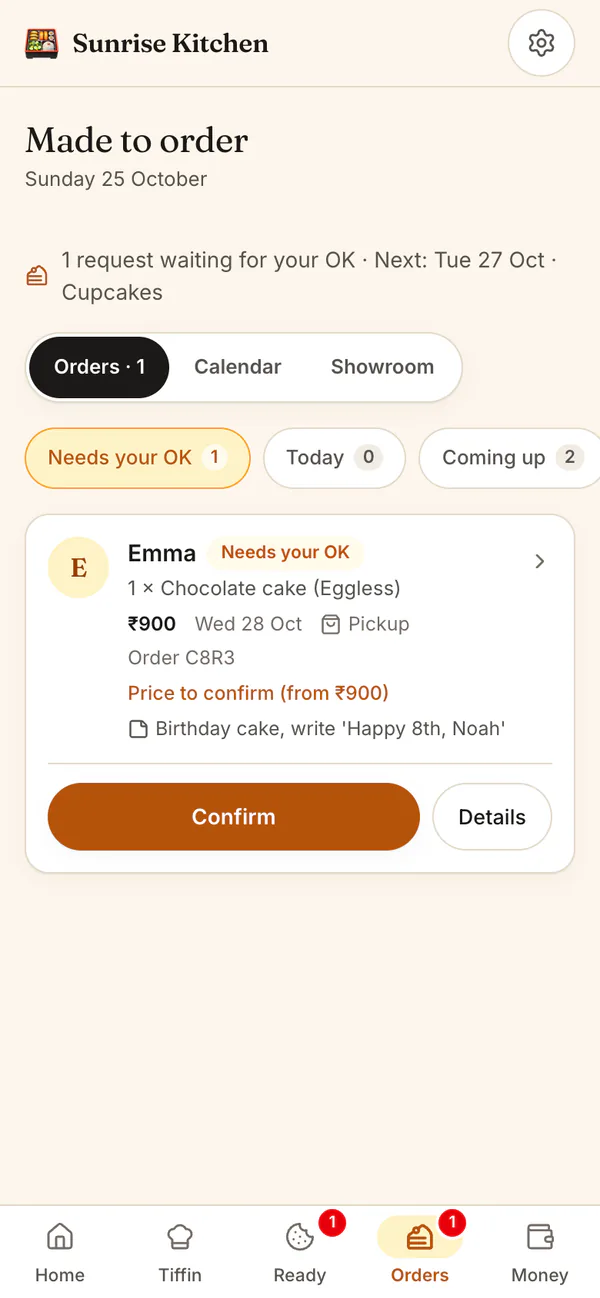
Most mix-ups with custom orders happen in chat: the date is buried, the size changes, the advance is forgotten. Made to order keeps each request in one place, with the date needed, the size and flavour, a note like Happy Birthday Mia, and what has been paid.
Every request waits for your OK. Confirm it with a price, ask a question on WhatsApp, or decline with a reason such as Fully booked that day.
Home bakery orders on a calendar
The calendar lists what is needed day by day and how full each day is. Close days for a holiday, with a reason customers can see. More tips are in how to take orders for cakes and party food, and ready-made bakes sell from your shop.
Sizes, flavours and the veg or egg mark
Type the sizes and flavours you offer, separated by commas, and customers pick one of each. Mark every item Veg, Egg or Non-veg, since an eggless cake matters to many families, and add an allergen note such as contains nuts.