Short answer
How do I share my tiffin menu every week?
Type your usual lunch and dinner for each day, Monday to Sunday, once. HomeTiffin uses it to fill in today's and tomorrow's menu, shows the week on your kitchen page, and lets you send the whole week in one WhatsApp message. Change a single day whenever it is different.
What you get
- Same as MondayCopy a day with one tap.
- One message, whole weekEvery day under its own heading.
- On your pageThe week shows, today highlighted.
How it works
Your week in a few taps
Open This week
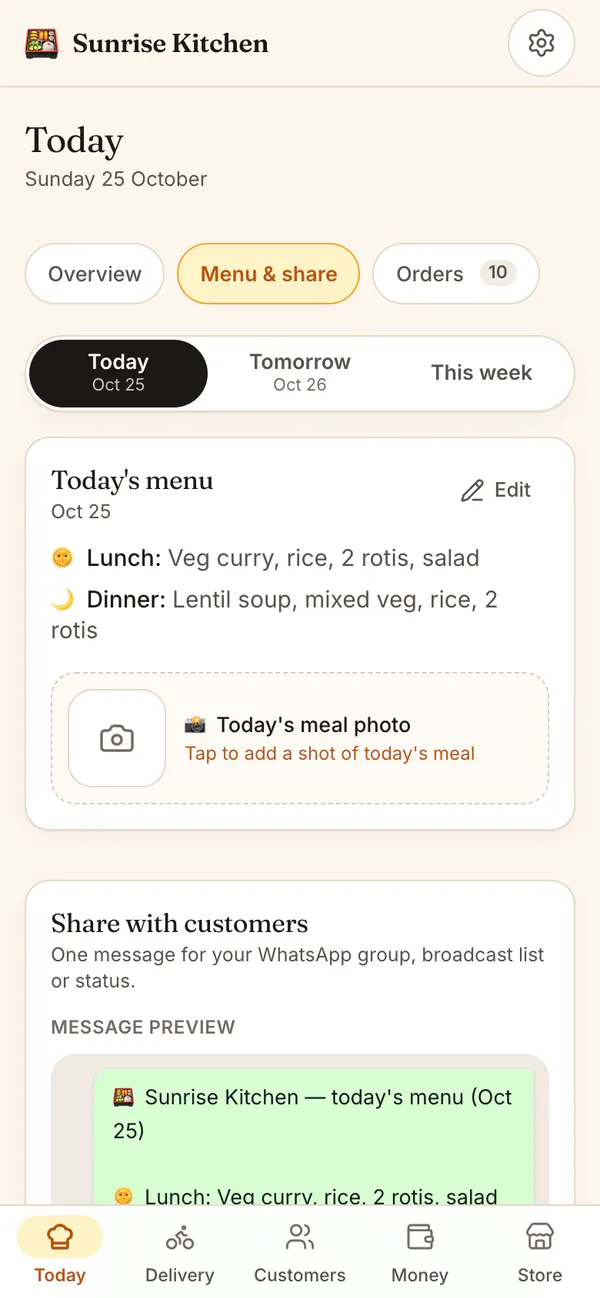
Go to Today, then Menu & share, and tap This week.
Fill in each day
Type lunch and dinner for each day. Tap Same as Mon to copy a day, or leave a day empty.
Share the week
Tap Share this week's menu. WhatsApp opens with every day and your menu link, ready to send.
Change one day
On a different day, tap Edit and save. That day wins, and your weekly menu stays as it is.
Weekly menu
Common questions
What if I change the menu after customers answered?
You can edit a day's menu any time. Answers already in stay as they are, and the app tells you how many there are. Customers see the new menu the next time they open the link.
Does my phone number show when I share the menu link?
No. The menu link never shows your phone number, so it is safe to post in a WhatsApp group, a broadcast list or your status. It is the same link every day.
Can customers see the menu for the whole week?
Yes. Your kitchen page lists the week with today highlighted. On the menu link, customers see today's and tomorrow's menu, each with its own Yes and Skip buttons.
Start your kitchen today
Free to start. No card. Set up in minutes.
More about Weekly menu
How the weekly menu and the daily menu work together
Your weekly menu is your usual week. When you open Today or Tomorrow, a day you have not written yet shows the weekly menu for that weekday, marked From your weekly menu. Tap Use this to keep it, or Edit when that day is different.
A menu you save for one day always wins over the weekly menu, and changing the weekly menu later never changes a day you already sent to customers.
Planning a weekly tiffin menu that is easy to cook
A good tiffin menu repeats what people love and spreads the heavy cooking across the week. Our guide on how to plan a weekly tiffin menu has simple ways to do it. When the week is ready, customers answer on the today and tomorrow link.
Sharing the menu on WhatsApp without spamming
Send the week once, on a Sunday evening if you like, and the daily link does the rest. Customers who want to check a day open the same link instead of messaging you. Because it is one link, you are not sending the same long message to many chats, and your number stays private.