Payments and dues
Know exactly who still owes
Record payments in a tap. Remind on WhatsApp.
Short answer
How do I track tiffin payments and dues?
Customers pay you directly, by cash, UPI or bank transfer, and you note it in a tap. HomeTiffin keeps a running list of who owes, across months. Tap Remind and your own WhatsApp opens with a polite, ready-written message. There is no commission and no payment gateway.
What you get
- Who owes, since whenOld months stay until paid.
- Expenses and profitWhat you spent, what you kept.
- Waive, fix, undoMistakes are easy to put right.
How it works
Money in a few taps
Open Money
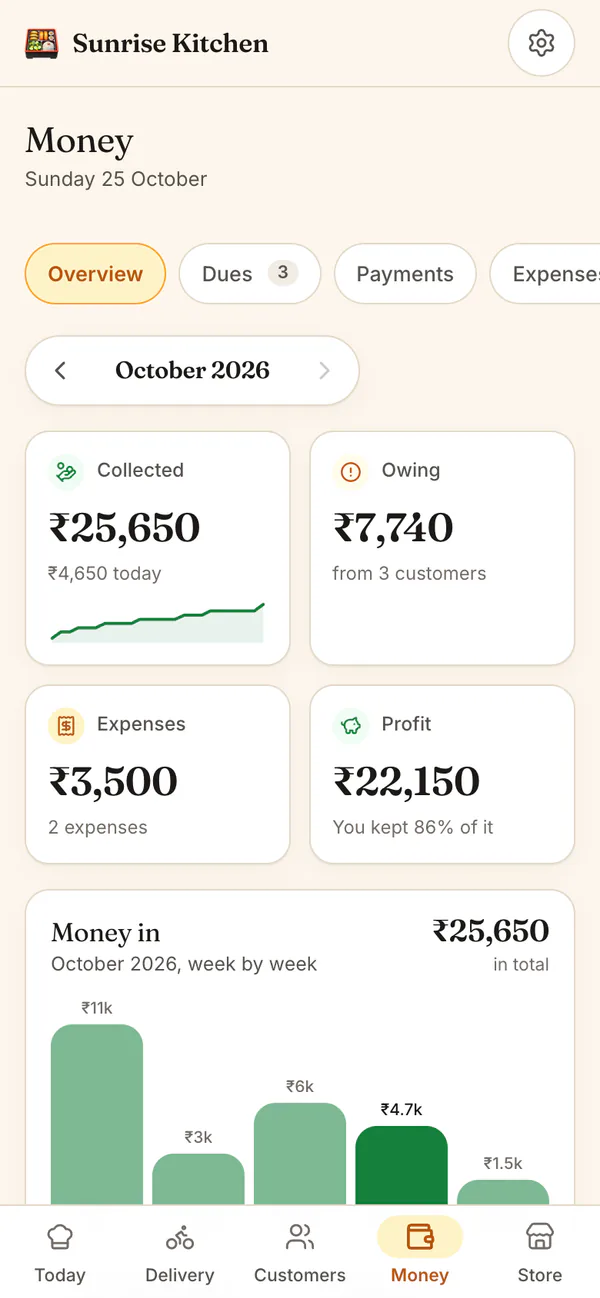
Tiles show Collected, Owing, Expenses and Profit. Arrows let you look back at earlier months.
Record a payment
The amount is already filled in. Pick cash, UPI, bank transfer, card or other, and tap Add.
Remind who owes
Tap Remind. A friendly message with the right total opens in your WhatsApp. You press send.
See your profit
Add what you spend on groceries, gas or packaging. Profit shows what you really kept.
Payments and dues
Common questions
Does HomeTiffin collect money from my customers?
No. HomeTiffin never handles money. Customers pay you directly, by cash, UPI or bank transfer, and you record it. There is no payment gateway, no card form for customers and 0% commission on everything they pay you.
Are payment reminders sent by a bot?
No. Remind opens your own WhatsApp with a ready-written message showing the same total you see. You read it and press send yourself, so the reminder always comes from your number. There is no bot and no paid messaging.
What if I want to let a small due go?
Tap Waive on that line in Dues. It clears what they owe but is never counted as money collected, so your Collected and Profit stay honest. Delete the waive in Payments if you change your mind.
Can I see my sales over many months?
Yes, in Analytics: sales, money collected, boxes delivered, busiest days and who is slow to pay, from 7 days up to 12 months. Analytics comes with the Growth plan and above, and with every free trial.
Start your kitchen today
Free to start. No card. Set up in minutes.
More about Payments and dues
How dues are worked out
A monthly customer owes each month's fee from the month they started, minus everything they have paid, and a payment always clears the oldest month first. Each month counts at the price it had then, so a price change never bills earlier months again.
Delivered boxes that are not paid for, including one-off orders, are added on top. A customer you stopped stays on the list, marked Stopped, until they pay or you let it go.
Polite tiffin payment reminders on WhatsApp
Chasing money is the part most cooks dislike. A short, friendly message with the exact total works better than a long one. Our guide on how to collect tiffin payments on time has ready wording, and reports and downloads gives you every payment as a spreadsheet.
Expenses and the profit you really kept
Not everything you collect is yours to keep. Add what you spend on groceries, gas, packaging, staff, delivery or rent, and the Profit tile shows what you collected minus what you spent, month by month. Overview shows where the money went.