Delivery
Your round, in driving order
Send your driver one link. No app, no login.
Short answer
How do I organise tiffin deliveries every day?
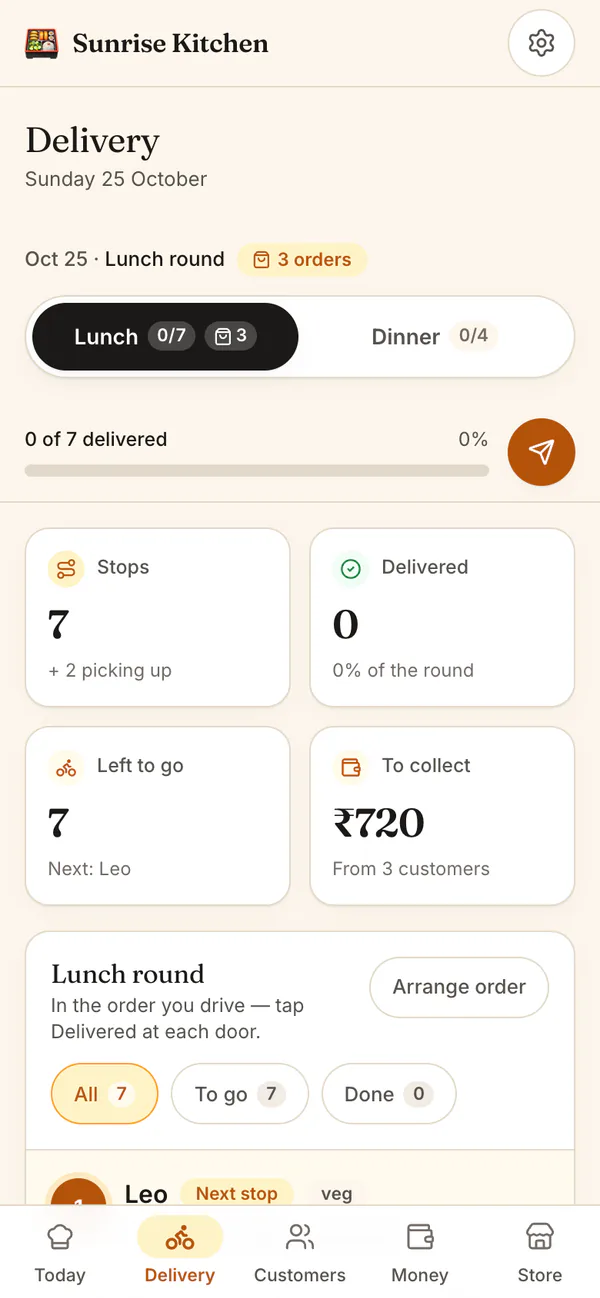
HomeTiffin turns everyone who confirmed today into a delivery round, in the order you drive. If you cook lunch and dinner, each meal gets its own round. Send your driver one link: they see stops with call, WhatsApp and map buttons, and tap Delivered at each door.
What you get
- Lunch and dinner roundsSeparate rounds when you cook both.
- Driver linkWorks daily until you reset it.
- What to collectAmount to collect, or Already paid.
How it works
From kitchen to door
Set your driving order
Tap Arrange order and move customers into the order you drive. It is saved for every day.
Send the round
Tap Send lunch round to copy a numbered list with addresses, or send the driver link.
Tick each drop
You or your driver tap Delivered at each door. Pickups are listed apart: tap Picked up.
Collect later
Anything delivered but not paid moves to dues, ready for a polite reminder.
Delivery and driver link
Common questions
Can my driver see or record payments?
Your driver sees what to collect at each stop, or Already paid, so nobody is asked twice. The driver can mark a stop Delivered or undo it, but can never record a payment. You do that yourself with Mark paid.
What if the driver link reaches the wrong person?
Anyone with the link can see today's names, addresses and phone numbers. Tap Reset link and the old one stops working straight away. Then send the new link to your driver.
Do orders from my shop go on the same round?
Yes. A confirmed order for today, like extra tiffins, ready snacks or a cake, shows inside its stop with what is in the bag. If the same person has a tiffin and an order, one Delivered tap hands over both.
Start your kitchen today
Free to start. No card. Set up in minutes.
More about Delivery and driver link
How tiffin delivery rounds are built
Only customers who confirmed today are on a round, in the driving order you set once. Anyone who has not replied joins as soon as they confirm, and Delivery shows how many are still waiting.
When both meals have confirmed customers, a Lunch and Dinner switch appears. Someone who takes both meals is a stop on each round, so the dinner box never goes out at lunchtime.
A driver link with no app and no login
Your delivery person opens the link on their own phone. They see today's stops, call or message a customer, open the map, and tap Delivered. Their ticks show on your screen too. Unpaid boxes go to your dues list. Running a bigger round? See HomeTiffin for tiffin services.
Pickups and one-off orders on the round
Customers who collect from your door are listed under Pickup, not on the drive, and you tap Picked up when they come. One-off orders from your menu link or your page join the round after your regular customers, oldest first, each showing what to collect.