Ready to buy
Your shelf, open for orders
Photo, price, count. You hand over.
Short answer
How do I sell snacks from home?
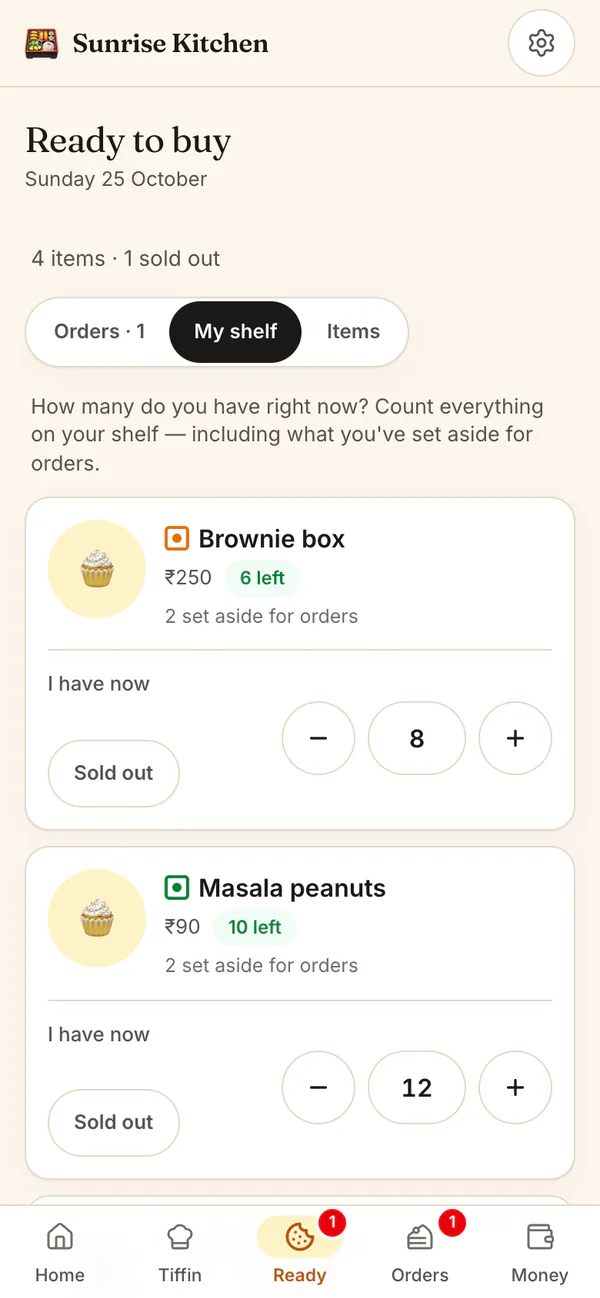
Switch on Ready to buy in Settings, then add each product with a photo, a price and how many you have. Customers order from the Shop on your kitchen page and send you the order on WhatsApp. HomeTiffin takes ordered items off your count and shows Sold out.
What you get
- Count your shelfTap minus or plus to count.
- Only 3 leftLow stock and sold out, shown clearly.
- Notes on ordersPickup or delivery, plus their note.
How it works
From shelf to doorstep
Add a product
Take a photo, type the name and price, and say how many you have: 6, 12, 24 or your own number.
Confirm the order
New orders wait for your OK. Confirm, or decline and the items go back on sale.
Fewer than asked?
Lower the quantity, then tap Tell on WhatsApp. The message about what is left is ready to send.
Pack, hand over, paid
One big button moves each order along: Packed, Handed over, Got paid.
Shop: ready to buy
Common questions
Do shop buyers count toward my customer limit?
No. Someone who only buys from your shop never uses a customer place on your plan. You find them under Buyers in Customers, and can add them as a monthly customer if they want a tiffin too.
Can customers pay for shop orders online?
No. Nobody pays on the page. Customers get an order number and send the order to you on WhatsApp, then pay you directly by UPI or cash. If you deliver, the flat delivery fee you set is shown before they order.
What if two people want the last brownie?
An order holds its items the moment it is placed, so two people cannot buy the last one. If an order is declined or cancelled, what it held goes back on sale by itself.
Can I accept shop orders without checking each one?
Yes. In How orders come in, switch on Accept orders automatically. Orders are then confirmed as they arrive, and you only pack, hand over and record the money.
Start your kitchen today
Free to start. No card. Set up in minutes.
More about Shop: ready to buy
Selling home-made snacks and bakes online
Ready to buy is for things you have already made: a tray of brownies, jars of snacks, cookie boxes. It sits beside your daily tiffin, and a kitchen that only sells tiffin never sees it. Switch it on in Settings, under What you sell.
Customers see a photo, the price, the veg or egg mark, and Only 3 left or Sold out. Sold out items stay on the page, greyed, so people know to come back.
Counting stock without a spreadsheet
Count what is on your shelf whenever you bake. The app takes away what is ordered and gives back what is cancelled; there is no daily reset. Taking cake orders too? See made to order and HomeTiffin for home bakers.
When you have fewer than they asked for
If you only have 4 when someone ordered 6, lower the quantity on the order. HomeTiffin writes a short WhatsApp message for you with what is left and the new total, and you send it yourself. Whatever is no longer needed goes back on sale.